Brush Viewer: .procreate files 1.0.1.9 Release Notes

Brush Viewer: .procreate files 1.0.1.9 is now available on Google Play. You can open and check .procreate files on Android devices without an iPad. When a client or collaborator sends an illustration or design file, you can preview the artwork directly, zoom in on details, and share visual feedback.
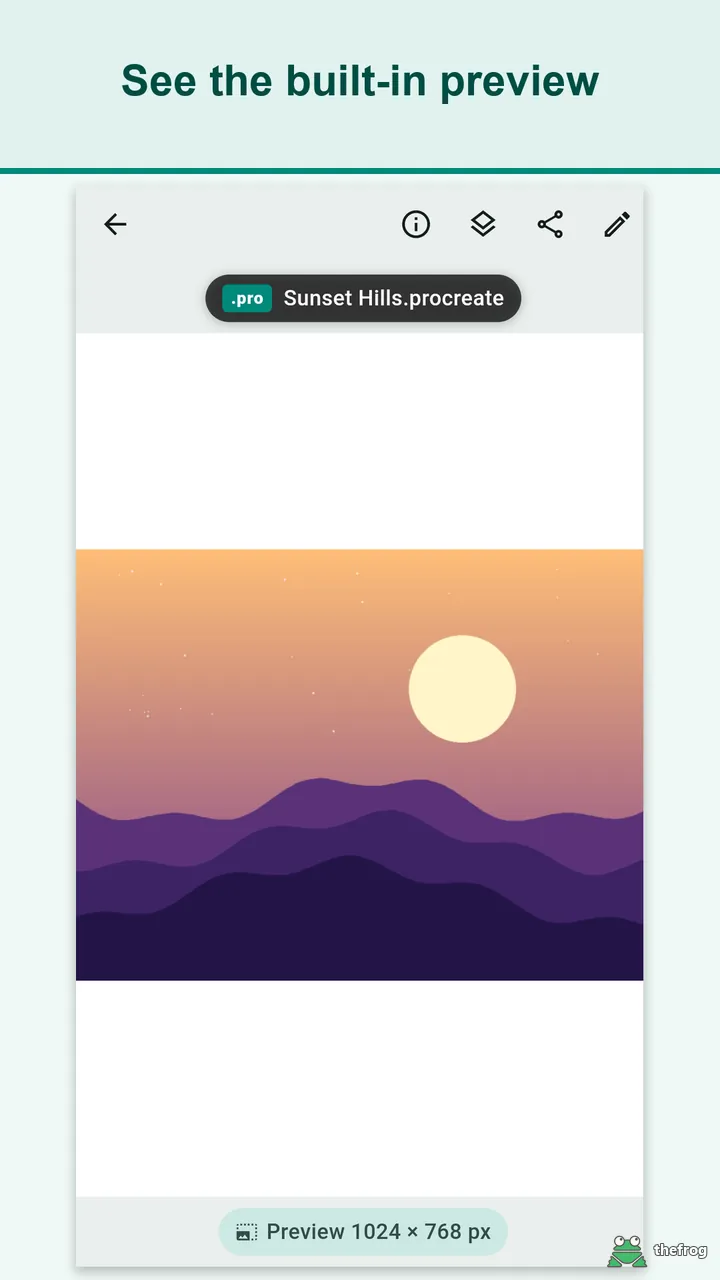
To keep expectations clear, Brush Viewer: .procreate files focuses on viewing rather than full digital painting. The app reads the embedded preview image that Procreate saves inside each .procreate file—usually 1024 pixels on the longer edge. It does not render individual layers or full-resolution canvas data from scratch. If a file was saved without an embedded preview, the app presents an informative message instead of an empty screen.
View .procreate files
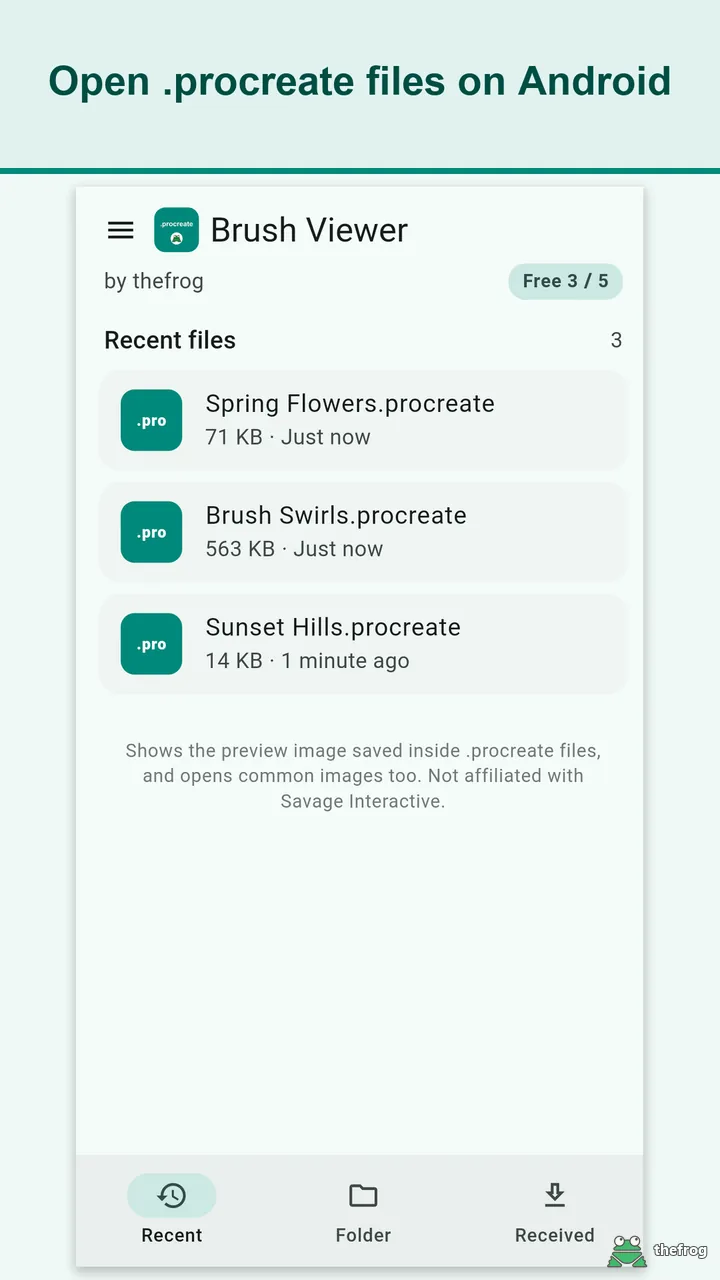
You can open .procreate files through your system file picker or through the "Open with" and "Share" options in messaging, email, and cloud storage apps. The app also opens standard image formats (JPG, PNG, WebP, GIF, BMP, and HEIC) in the same viewer without viewing limits.
The viewing interface includes several inspection and navigation tools:
- Two-finger zoom and pan: Inspect details with pinch and drag gestures.
- File details: Check the file name, file size, and the reported preview dimensions (such as 1024 × 768 px).
- Three navigation tabs: Browse your files across Recent, Folder, and Received tabs at the bottom of the screen.
- Received tab: Access .procreate files opened or shared from other apps in one dedicated list.
- Swipe between files: Files opened from Recent or Received tabs can be swiped sideways to navigate to adjacent files, complete with a position indicator like "File 2 of 5" and a file name chip above the artwork.
- List control: Remove entries from your recent list at any time, or share the original .procreate file to another app.
Markup
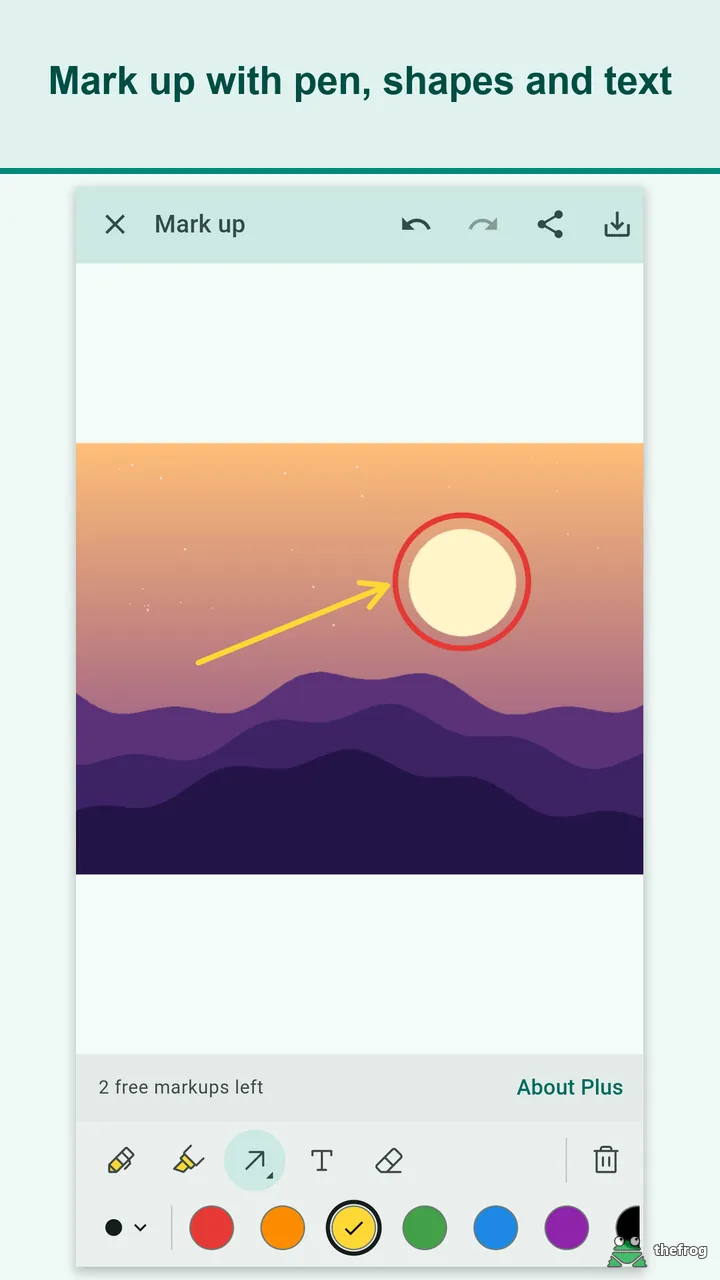
When reviewing artwork on mobile, you can mark up specific areas to provide clear direction to your team or client. Brush Viewer: .procreate files provides built-in markup tools directly over the preview image:
- Draw and highlight with pen and highlighter tools.
- Add shapes including rectangles, circles, and arrows.
- Insert text notes to explain revisions clearly.
- Select placed annotations to move, resize, or delete them, with full undo and redo support.
Annotated images can be saved as PNG files to Pictures/Brush Viewer or shared directly to other apps. Markups remain separate and are not written back into the original .procreate file.
Layer info (Plus)
Understanding the structure of an artwork can help clarify project scope and file setup. With the optional Plus upgrade, Brush Viewer: .procreate files provides experimental, read-only layer inspection.
The layer panel displays the saved hierarchy in the order stored within the file:
- Layer and group names
- Opacity values
- Blend modes
- Hidden, locked, and clipping mask states
Note: Layer info is read-only and experimental. You cannot toggle layer visibility or edit artwork elements. In some cases, complex files may not read with complete precision.
Languages
Brush Viewer: .procreate files includes interface translations for 11 languages so design teams worldwide can navigate comfortably: English, 한국어, 日本語, 繁體中文(台灣), Español, Deutsch, Português, العربية, Tiếng Việt, Français, and Bahasa Indonesia.
Privacy
Your creative files remain on your device. Brush Viewer: .procreate files does not upload files to external servers, requires no user account, and includes no third-party advertising or analytics SDKs.
The app does not make direct network connections. File viewing functions entirely offline. In-app purchases, app updates, and ratings are handled through Google Play services, and the Google Play Billing library can transmit diagnostic details to Google services.
Free and Plus
The free tier of Brush Viewer: .procreate files covers everyday file checks and reference needs:
- Open and view up to 5 distinct .procreate files (reopening previously opened files does not count toward the limit).
- Create up to 3 markup sessions.
- Open standard image files (JPG, PNG, WebP, GIF, BMP, HEIC) without any limits.
The Plus tier is a one-time in-app purchase, not a subscription. It removes both the file count and markup limits, and unlocks experimental layer information. If you reinstall the app or switch devices, use "Restore purchase" to re-enable your access. Viewing works offline without an internet connection.
You can install Brush Viewer: .procreate files on Google Play to begin viewing .procreate files on your Android device.
Procreate is a registered trademark of Savage Interactive Pty Ltd. Brush Viewer: .procreate files is an independent app and is not affiliated with or endorsed by Savage Interactive Pty Ltd.

Learn more about Brush Viewer: .procreate files or get it on Google Play.
Enjoying the app? Leave a review on Google Play: Brush Viewer: .procreate files